Renderer Showcase Examples
Source:vignettes/renderer-showcase-examples.Rmd
renderer-showcase-examples.RmdShowcase Lens
This vignette assembles several scenarios meant to answer the kind of question a package user is likely to ask:
- Does the package support visually compelling, research-relevant examples?
- Can it express both generative-machine-learning and scientific-visualization workflows through a grammar familiar to R users?
- Is the current rendering surface broad enough to support a larger WebGL workflow?
The current package renders dense 2D points and lines in WebGL. The examples below stay within that supported subset on purpose.
The vignette uses the standard preset to keep article
build time and page weight reasonable. The standalone gallery exporter
uses detail = "high_detail" by default.
Code examples are shown by default. Live WebGL widgets are disabled
during CRAN, package checks, and CI. Rich local or pkgdown rendering
requires GGWEBGL_EVAL_COVERAGE_VIGNETTE=true and
GGWEBGL_EVAL_LIVE_WIDGETS=true.
The examples also use the current shader surface deliberately:
-
density_splatfor dense point fields -
trajectory_agefor line and path bundles -
hoverinspection in addition to pan and zoom
Example 1: Latent-Space Population Structure
Why this example matters. This is the dense embedding case. It demonstrates whether ggWebGL can display cluster cores and transitional bridges in a way that feels closer to an interactive graphics system than to a static statistical scatterplot.
What to inspect. The transitional bridge should read as a continuous structure rather than as noise between clusters.
Rendering mode. This example uses
shader = "density_splat" to make dense regions accumulate
rather than read as a uniform cloud of isolated marks.
showcase_examples$latent_cloud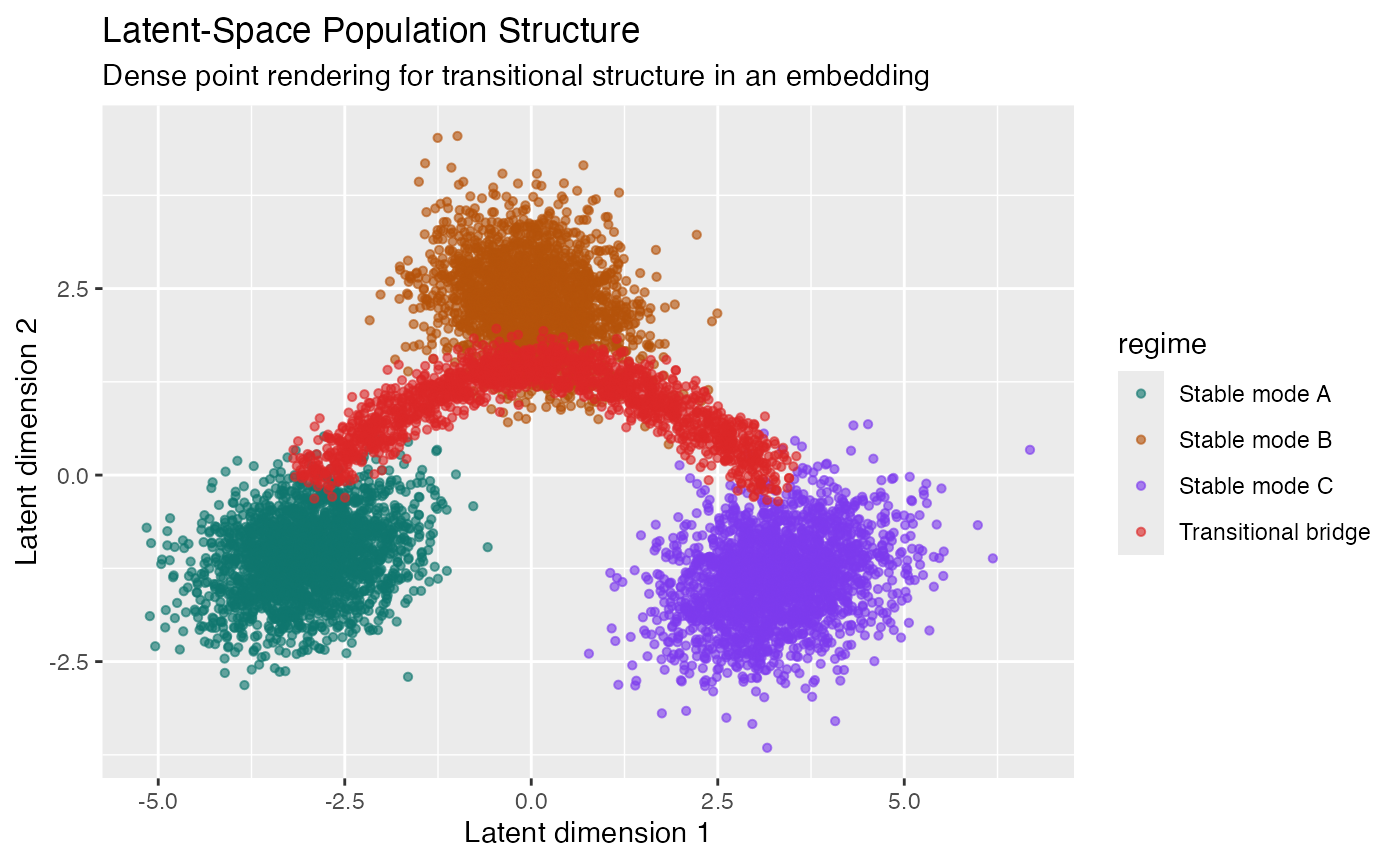
ggplot_webgl(showcase_examples$latent_cloud+theme_webgl(shader = "default", height = 630))
ggplot_webgl(showcase_examples$latent_cloud, height = 630)Example 2: Diffusion-Style Denoising Trajectories
Why this example matters. This is the generative-ML example. It shows many simultaneous trajectories collapsing toward a small set of modes, which is the kind of dynamic structure a package user might expect from an interactive renderer demonstration.
What to inspect. Look for smooth bundles, endpoint concentration, and clear distinction between target modes.
Rendering mode. This example uses
shader = "trajectory_age" so later steps are visually
emphasized along each denoising path.
showcase_examples$diffusion_paths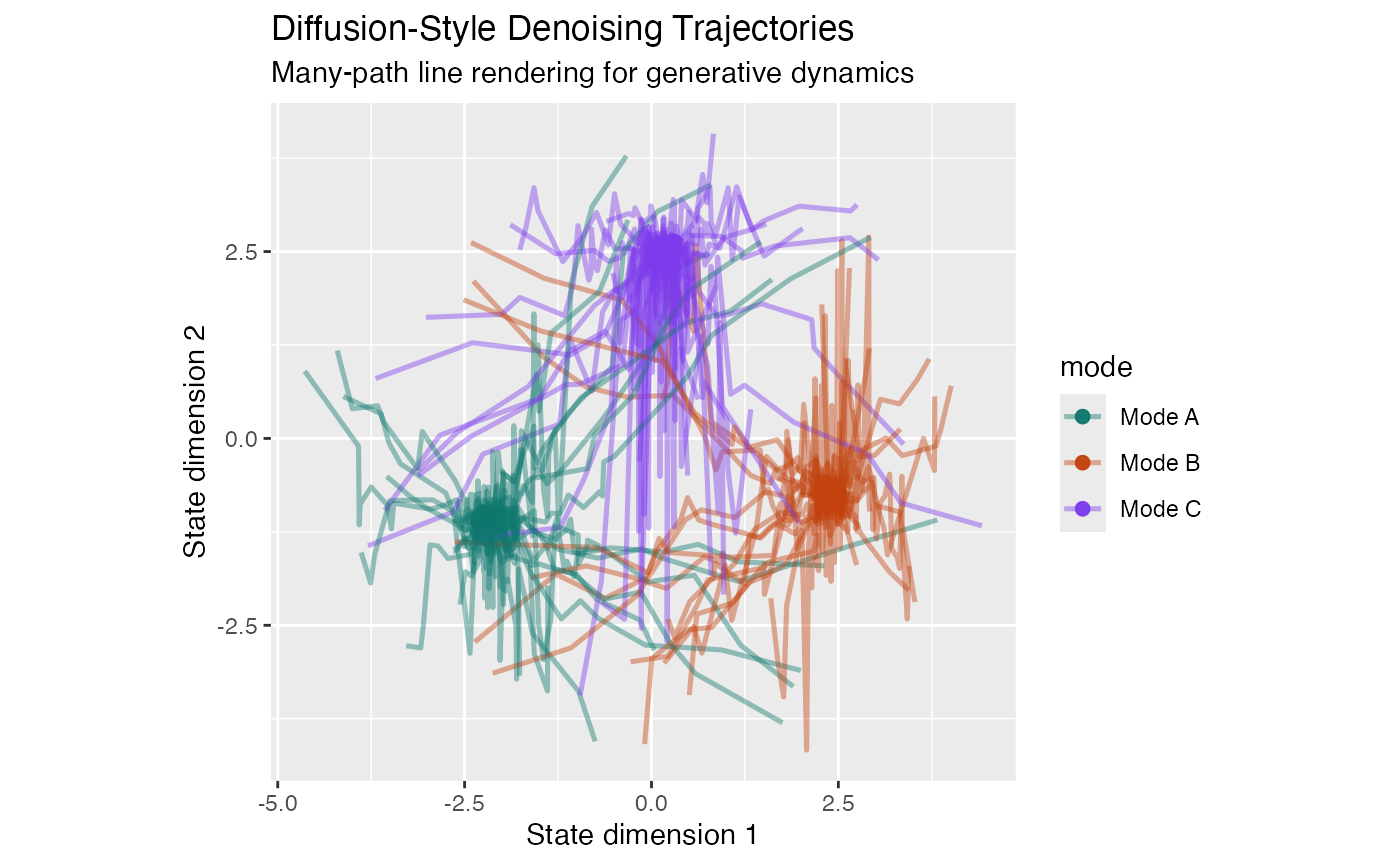
ggplot_webgl(showcase_examples$diffusion_paths+theme_webgl(shader = "default", height = 630), height = 630)
ggplot_webgl(showcase_examples$diffusion_paths, height = 630)Example 3: Nonlinear Phase Portrait
Why this example matters. This positions ggWebGL as a scientific visualization tool rather than only as an exploratory embedding viewer. The value proposition here is that many dynamical trajectories can remain legible in an interactive browser-native plot.
What to inspect. The repeated loops and eventual convergence patterns should be visible without resorting to raster precomputation.
Rendering mode. This example also uses
shader = "trajectory_age" so the flow direction remains
legible in dense orbit bundles.
showcase_examples$phase_portrait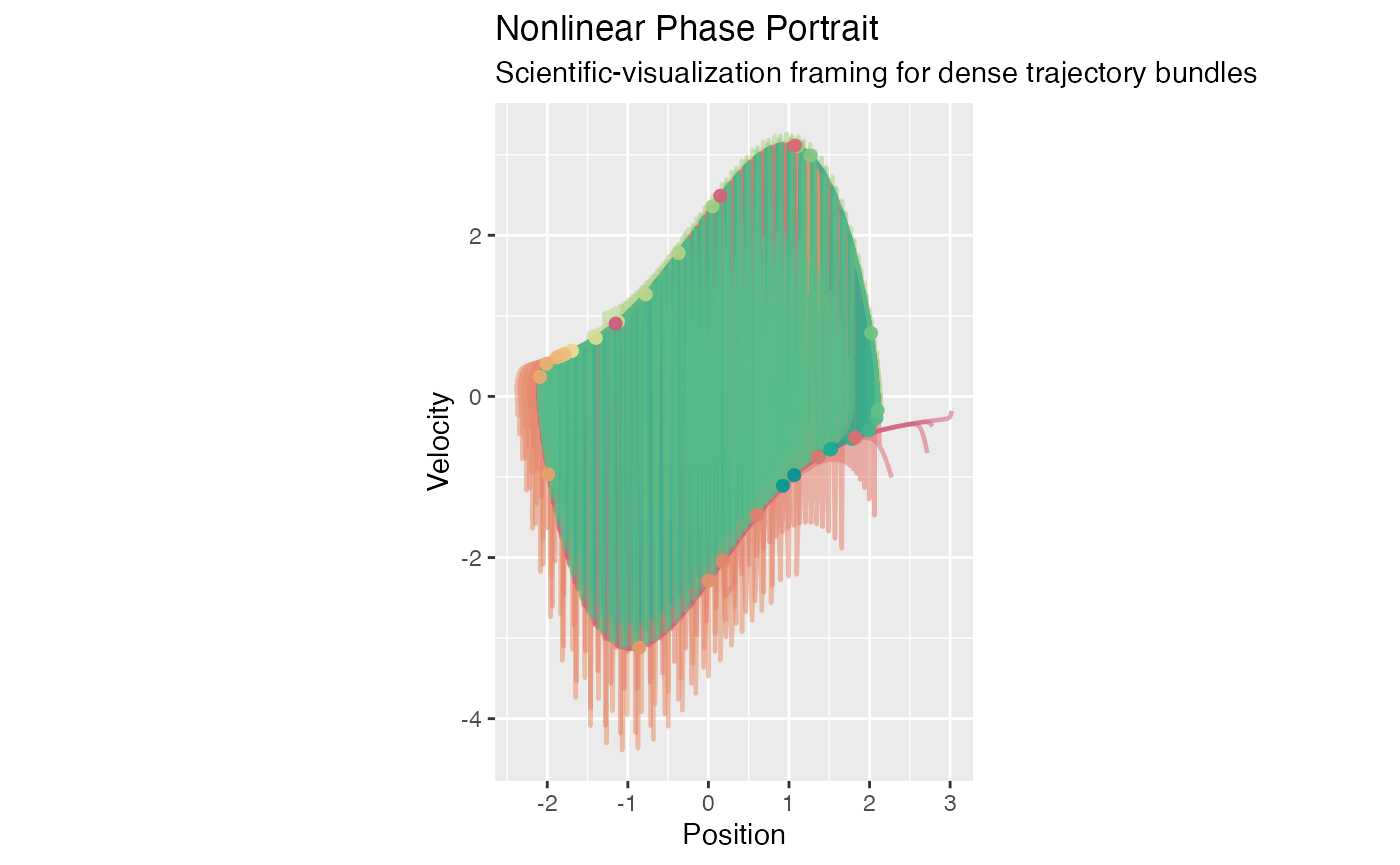
ggplot_webgl(showcase_examples$phase_portrait+theme_webgl(shader = "default"), height = 630)
ggplot_webgl(showcase_examples$phase_portrait, height = 630)Example 4: Optimization Paths on a Surrogate Loss Landscape
Why this example matters. This is a mixed-layer example. Dense points provide a surrogate landscape while line layers show optimizer paths. It is useful because it demonstrates composition, not only raw primitive throughput.
What to inspect. The background field provides context; the traces show method-specific descent behaviour and final convergence points.
Rendering mode. This example uses
shader = "density_splat" for the dense point field while
leaving the optimizer traces crisp and readable.
showcase_examples$loss_landscape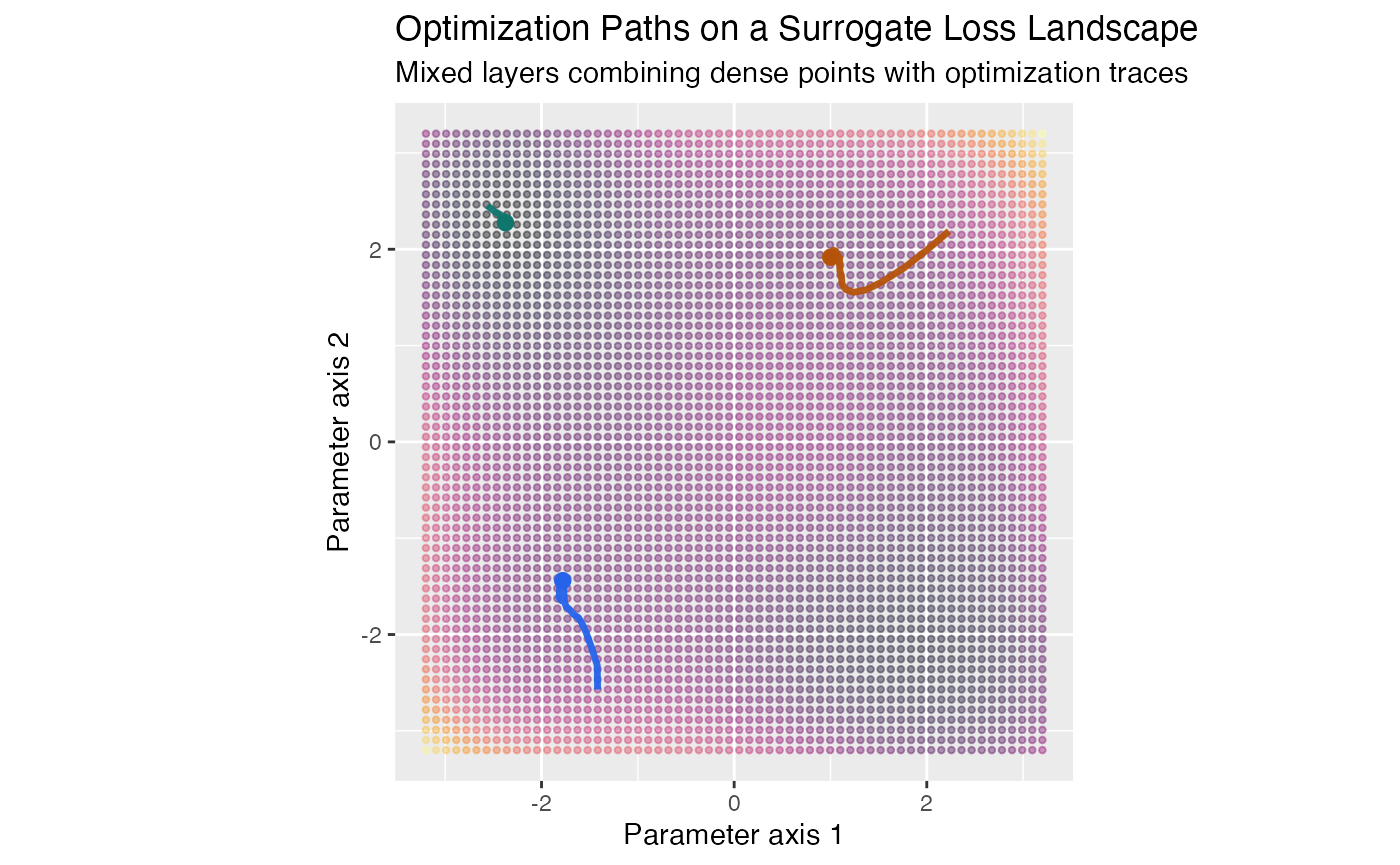
ggplot_webgl(showcase_examples$loss_landscape+theme_webgl(shader = "default"), height = 630)
ggplot_webgl(showcase_examples$loss_landscape, height = 630)
ggplot_webgl(showcase_examples$loss_landscape+theme_webgl(shader = "trajectory_age"), height = 630)
ggplot_webgl(showcase_examples$loss_landscape+theme_webgl(shader = "trajectory_age_glow"), height = 630)Shiny Demo
The same scenarios are available in an interactive showcase Shiny app:
source(system.file("examples", "shiny", "showcase-demo.R", package = "ggWebGL"))The standalone gallery export uses the denser preset:
source(system.file("examples", "htmlwidget", "renderer-showcase-gallery.R", package = "ggWebGL"))
export_renderer_showcase_gallery(detail = "high_detail")This app pairs the WebGL widget with a ggplot2 reference panel so a package user can judge how much of the analytical structure already survives the current translation path.